
If you already have a Tabula Live account, you can use the same login details (username and password) for the Tabula App. Your Tabula Live account must be active to log in.
If you do not have an account, please ask an administrator for your organisation's Tabula Live account to send you an invitation. Once you receive the invite, you will be able to create your login.
Details for your administrator on how to send an invite are below.
Inviting a new user
Admins of your organisation's Live account can follow these steps to invite new users to the App:
- Login to your Live account and navigate to Settings.

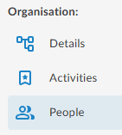
- Select People within the navigation menu.
-
Click Invite New, enter the new users details, including Name, Email, and Role.
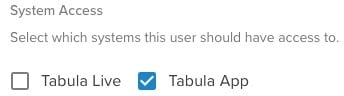
In the System Access section, select the Tabula App check box to send the new user an invite to download the App and set up their Username and Password.
If you want the user to have access to both the Tabula App and Tabula Live, you'll need to select both check boxes.
- Once these steps are completed your new user will receive an invite in their email where they can download the app and then configure their login information.
Having trouble? Contact our team for assistance